
Sitemaps for SEO: Improve Webpage Discovery and Indexing
A sitemap is one of the simplest technical SEO assets you can add to your website — but it’s also one of the most misunderstood.
Done properly, a sitemap helps search engines discover and prioritise your important pages, especially on larger sites
or sites with complex navigation. Done poorly, it can do the opposite: flood Google with low-value URLs, waste crawl budget, and create confusion
around canonical versions of your pages.
In this guide, we’ll keep the existing core concepts, but expand them with practical SEO best practices, what to include/exclude, how to submit and
monitor sitemaps, common issues we see in Google Search Console, and real-world SEO sitemap examples.
Key takeaways
- Sitemaps help discovery, not rankings directly — they don’t guarantee indexing, but they improve crawl efficiency.
- Only include index-worthy URLs (200 status, canonical self-referencing, valuable content) to avoid sending mixed signals.
- XML sitemaps are for search engines; HTML sitemaps are for users (and can help internal linking when built well).
- Clean sitemap hygiene matters: don’t include redirects, 404s, noindex pages, or canonicalised duplicates.
- Submit and monitor in Google Search Console to catch errors, excluded URLs, and indexing patterns early.
- Automate updates so new/removed content is reflected immediately — stale sitemaps cause crawl waste and confusion.
What is a sitemap?
An SEO sitemap is a file that helps search engines discover the URLs you want them to crawl and consider for indexing. In practice, the most useful sitemap for SEO is usually an XML sitemap, while an HTML sitemap can still be helpful for users and internal linking. A sitemap will not guarantee indexing, but it can improve crawl efficiency and make it easier for search engines to find important, index-worthy pages.
A sitemap lists the URLs of your website’s pages and can provide additional metadata about each URL, such as:
- when it was last updated;
- how often it changes; and
- how important it is relative to other URLs on your site.
In practice, modern SEO places more emphasis on clean URL discovery and consistent signals (canonical tags, internal linking, quality),
but a sitemap still plays a valuable role as a crawl and discovery aid — particularly for new sites, large sites, and sites
where some pages are not easily reached via internal links.
Important: a sitemap is not a guarantee of indexing. Search engines can still choose not to index a page if it’s low quality,
duplicative, blocked by directives, or not considered useful.
If you have searched for “SEO sitemaps and examples”, this is the key distinction to understand: a sitemap is not a shortcut to rankings. It is a technical signal that helps search engines discover the right content more efficiently. That makes it especially useful on larger websites, ecommerce stores, content-heavy sites, multilingual sites, and websites where some valuable pages sit deeper in the architecture.
It is also worth remembering that sitemaps work best when they reinforce what the rest of the site is already telling search engines. If your sitemap points to canonical, indexable, high-quality URLs, it helps. If it contains mixed, low-value, redirected or excluded URLs, it creates noise instead.
Types of SEO sitemaps and examples
XML Sitemaps

XML sitemaps are the most common type used for SEO. They are written in XML format and are intended primarily for search engines.
Most websites generate these automatically via their CMS or SEO plugin.
XML sitemaps can also support specialised sitemap types, such as image, video, and news sitemaps (where relevant).
An XML sitemap example usually looks like a simple list of URLs in a machine-readable format. Search engines use this type to discover important pages, especially when a site is large or complex. For SEO purposes, this is the sitemap type that matters most.
HTML Sitemaps (Visual Sitemaps)

These are human-readable sitemaps that are designed to help users navigate your website.
They are typically displayed as an unordered list of links to the various pages on your site and use indentation to demonstrate hierarchy.
This type of sitemap can be helpful for both users and search engines to understand how your website is organised.
An HTML sitemap example is more like a navigational page than a technical file. It can be useful when built well, especially on larger sites where users benefit from a central page listing key sections and links. It can also support internal linking by giving search engines another crawlable path to deeper pages.
Our Sitemap Recommendation

We recommend having both an XML sitemap and an HTML sitemap for your website.
In most cases, the XML sitemap does the heavy lifting for SEO, while the HTML sitemap is more of a usability and internal-linking asset. You do not always need an elaborate HTML sitemap, but having one can still be useful when it genuinely helps people and supports crawl paths through the site.
Do you need a sitemap if your website is small?
Usually, yes — it is still a good idea. Even though smaller websites may be easier for search engines to crawl naturally, a sitemap provides a clean list of the URLs you actually want discovered and indexed. It is a low-effort technical SEO asset that can help search engines understand your preferred URL set more clearly.
That said, the smaller and cleaner the website, the less dramatic the effect is likely to be. On a simple site with strong internal linking and only a few key pages, the sitemap is more of a best practice than a rescue tool. On larger or more complex sites, it becomes much more important.
How to Create an SEO-Friendly Sitemap
There are several ways to create a sitemap, including:
Manual sitemap creation
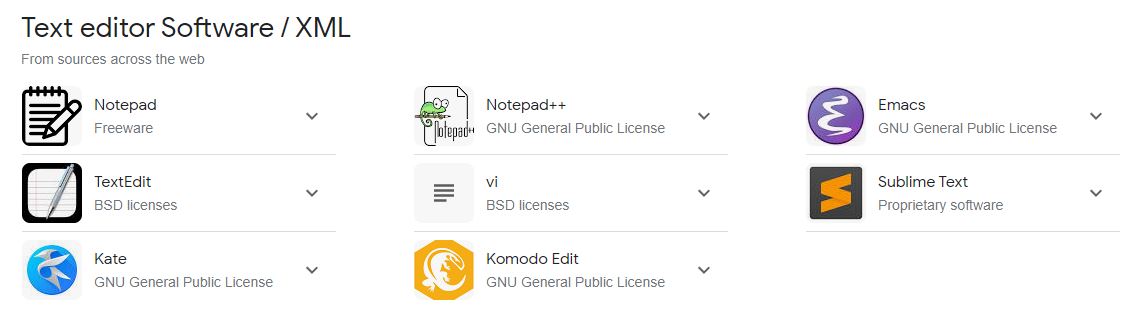
You can create a sitemap manually using a text editor application to hand code your sitemap.
This method can be time-consuming (especially if you have a large website) and is prone to human error, so it is not recommended.
Generate a sitemap using an online tool

Several online tools can help you create a sitemap for free such as:
- https://www.xml-sitemaps.com/
- https://www.mysitemapgenerator.com/
- https://octopus.do/sitemap/resource/generator
Once you have created an XML sitemap, it will need to be uploaded to the root directory of your website.
You can do this either by using the file manager on your web hosting or by connecting to your server using an FTP program.
If this is too advanced for you, you should be able to reach out to the technical support of your web hosting provider to have the sitemap uploaded for you.
Use a sitemap plugin for your website

If your website is built using a popular content management system (CMS) such as WordPress, there are many plugins available that can help you create and manage a sitemap automatically.
Some of the popular (and free) pure sitemap plugins for WordPress include:
This is the best option for sitemap creation because once it is set up, you won’t need to take any further action and your sitemap will work.
For most websites, automatic sitemap generation through your CMS or SEO plugin is the safest option. It reduces human error, keeps the sitemap up to date as content changes, and makes it much easier to maintain clean sitemap hygiene over time. Manually maintaining a sitemap can work in niche cases, but for most businesses it quickly becomes impractical.
Submitting your sitemap to Google Search Console
Once your sitemap is live, it is worth submitting it in Google Search Console rather than assuming Google will always find it at the right time. This gives you a clearer view of how Google is processing the sitemap and whether there are any errors, excluded URLs or unusual indexing patterns worth checking.
Submitting a sitemap does not guarantee indexing, but it does make it easier to monitor how Google is reading your sitemap and whether it aligns with the pages you actually want crawled and indexed.
Where should your sitemap live?
In most cases, your XML sitemap should live on the same domain and be accessible at a clean URL. It is also common to reference the sitemap in your robots.txt file so crawlers can find it more easily. None of this replaces good internal linking, but it helps make sitemap discovery straightforward.
Benefits of Implementing a Sitemap

1. Improving Crawl Efficiency
Search engines have limited resources to crawl websites. A sitemap acts like a roadmap, providing them with a list of all the important pages on your website.
This helps them discover new pages and updates to existing pages more efficiently, as they don’t have to spend as much time trying to find them on their own.
2. Highlighting Important Pages
A sitemap helps reinforce which URLs on your website you actually want search engines to pay attention to.
In modern SEO, this is less about self-declared priority values and more about keeping the sitemap focused on canonical, index-worthy pages. A clean sitemap can help search engines understand your preferred URL set and revisit valuable content more efficiently.
3. Identifying Orphaned Pages
Orphaned pages are pages on your website that are not linked to any other page.
This means that search engines may never find them on their own. A sitemap can help you identify these orphaned pages so that you can fix the internal linking and make them crawlable.
4. Faster Indexing of New Content
When you add new pages to your website, it can take some time for search engines to discover and index them.
Submitting a sitemap with the new URLs can help speed up discovery, especially on larger sites or sites where new pages are not strongly linked yet.
5. Providing Additional Information to search engines
In addition to the URLs of your pages, a sitemap can also provide search engines with additional information about each page, such as the last time it was updated, the language it is written in, and the location of any multimedia content such as images.
See our guide on how to optimise images for SEO.
This information can help search engines understand the content of your pages better and process them more accurately.
It’s important to note that a sitemap is not a guarantee of indexing.
Search engines may still choose not to index a page even if it is included in your sitemap.
This is because they have their own criteria for determining which pages to index.
What to include (and exclude) in your sitemap
The biggest SEO improvement most sites can make is not “adding a sitemap” — it’s making the sitemap clean.
A good sitemap is a list of URLs you genuinely want indexed.
Include these URLs
- Important service/product/category pages you want to rank
- High-quality blog posts/resources
- Location pages (where they’re unique and genuinely useful)
- Core supporting pages (about, contact, key hub pages)
- Canonical URLs that return 200 OK
Exclude these URLs
- Redirects (301/302) — include the final destination URL instead
- 404/410 pages and soft 404s
- Noindex pages (if you don’t want them indexed, don’t advertise them in sitemaps)
- Duplicate pages where the canonical points elsewhere
- Low-value URLs like internal search results, tag archives (when thin), filter parameters, session IDs
- Staging/dev URLs, test pages, or preview URLs
- Paginated pages (usually) unless there’s a strong reason to index them
Sitemap size and splitting best practice
Large sites should split sitemaps into logical groups (e.g., pages, posts, products, categories) and use a sitemap index file.
This makes troubleshooting much easier and gives you clearer visibility in Google Search Console.
If your site is generating thousands of low-value URLs (tags, parameters, filters), that’s usually a site architecture and indexation control problem —
and sitemaps are often where you’ll notice it first.
Grouping sitemaps logically also makes it easier to diagnose what is happening when indexing patterns change. If blog posts are being discovered normally but product URLs are not, sitemap segmentation can help you spot that faster. That is one reason sitemap index files are especially useful on larger sites.
Common sitemap mistakes that hurt SEO
Many websites technically “have a sitemap” but still make avoidable mistakes that reduce its usefulness. Some of the most common issues we see include:
- including URLs that redirect
- including noindex or blocked URLs
- including duplicate URLs where another canonical exists
- leaving outdated URLs in the sitemap after pages were removed
- forgetting to update the sitemap automatically when content changes
- submitting a sitemap that is much larger and messier than it needs to be
These issues matter because the sitemap should reinforce your preferred URL set. If it contains mixed signals, search engines have to work harder to decide what is actually important.
How to monitor sitemap health in Google Search Console
Submitting a sitemap is only the first step. You should also monitor it in Google Search Console so you can catch errors, excluded URLs and indexing anomalies early.
Things worth checking regularly include:
- whether the sitemap was successfully fetched
- whether submitted URLs are being indexed at the expected rate
- whether a large number of submitted URLs are being excluded
- whether errors or warnings are appearing after major site changes
If you notice that submitted URLs are not being indexed, the issue is not always the sitemap itself. It may point to quality issues, duplication, canonical conflicts, crawl problems or broader indexing decisions. That is why sitemap monitoring works best when paired with wider technical SEO checks.
Frequently Asked Questions
Here are some of the most frequently asked questions about sitemaps:
Q: Do I need a sitemap if my website is small?
A: Yes, even small websites can benefit from using a sitemap. It can help search engines discover and process your important pages more efficiently, even if the effect is more subtle on smaller sites.
Q: How often do I need to update my sitemap?
A: Your sitemap should be updated whenever your website’s important URL inventory changes. In practice, the best setup is an automatically generated sitemap that updates whenever pages are added, removed or changed.
Q: Can I submit my sitemap to more than one search engine?
A: Yes, you can submit your sitemap to multiple search engines such as Google and Bing. This can help make discovery easier across major search engines.
Q: What is an image sitemap?
A: An image sitemap helps search engines discover the images within your content. It can exist independently or be integrated into another sitemap, and it may improve the chances of those images being surfaced in image search where relevant.
Q: What is the difference between an XML sitemap and an HTML sitemap?
A: An XML sitemap is primarily for search engines, while an HTML sitemap is primarily for users. From an SEO perspective, XML sitemaps are usually the more important technical asset, but HTML sitemaps can still support navigation and internal linking.
Q: Can a sitemap improve rankings on its own?
A: Not directly. A sitemap helps discovery and crawl efficiency, but it does not override quality, relevance, internal linking or other ranking and indexing factors.
Q: Do I need to do anything else to improve my SEO?
A: Using a sitemap is just one step to improve your SEO. There are many other things you can do, such as creating high-quality content, building backlinks to your website, and optimising your website’s meta page titles and meta descriptions.
Here are some resources that you may find helpful:
- Google Search Central: https://developers.google.com/search/docs/crawling-indexing/sitemaps/build-sitemap
Closing Thoughts
At our SEO Agency on the Gold Coast, sitemaps are one of the first technical assets we review, create and submit for clients when we start an SEO campaign.
By following these best practices, you can help ensure that your sitemap is as effective as possible in helping search engines discover and process your website’s important pages.
The key is not just having a sitemap for the sake of it. The real SEO value comes from keeping it clean, current, focused on index-worthy URLs and aligned with the rest of your technical SEO signals.
Need Help with SEO?
Need help with your local SEO? Work directly with our in-house team of digital marketing and SEO experts to increase traffic and leads for your business.
Contact us for a phone consultation on (07) 5531 3810 or arrange a meeting to explore how we can enhance your online presence and improve your visibility in Google Search.
